

Alerts that matter
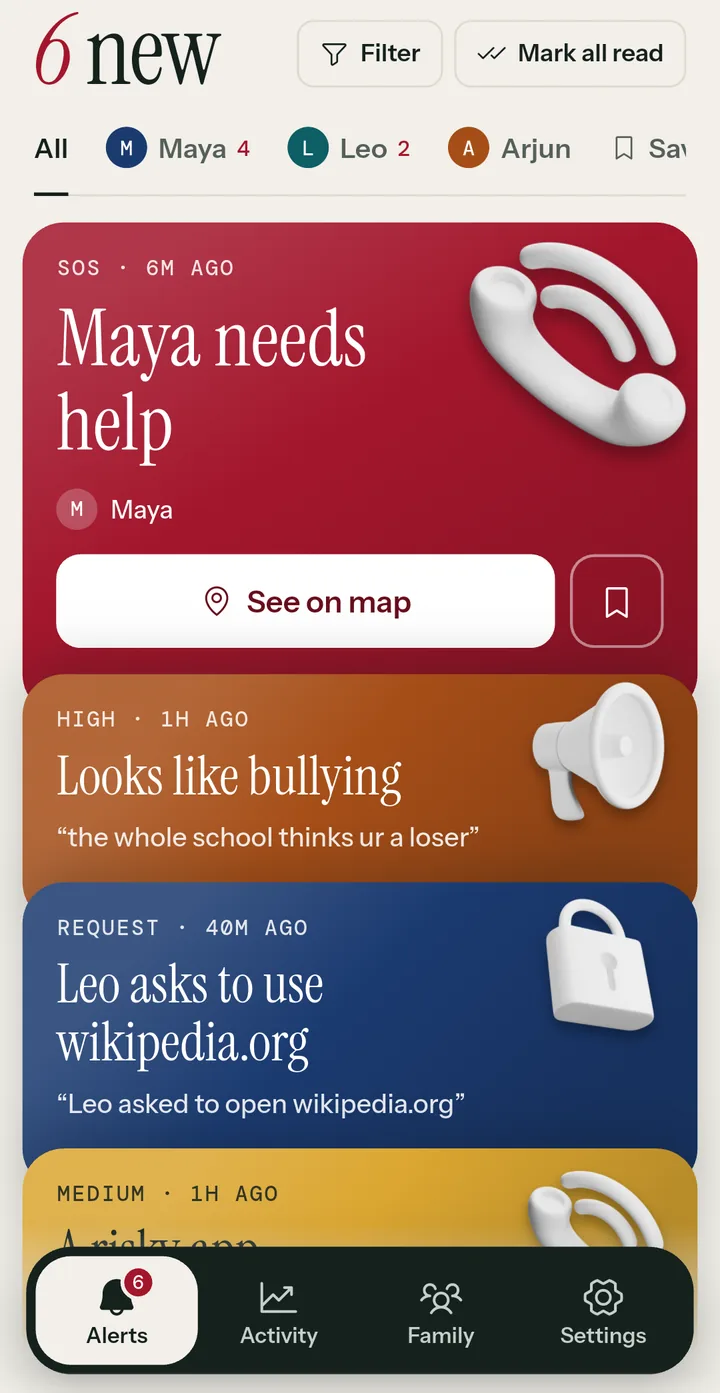
Bullying, self-harm, drugs and other risks, flagged on their phone. You only hear when something needs a look.
For parents of kids with their first phone
Know when something needs your attention, without reading every message. Your child can always see what's shared.
 Get it onGoogle Play
 Coming soonApp Store
Alerts
Activity
Family
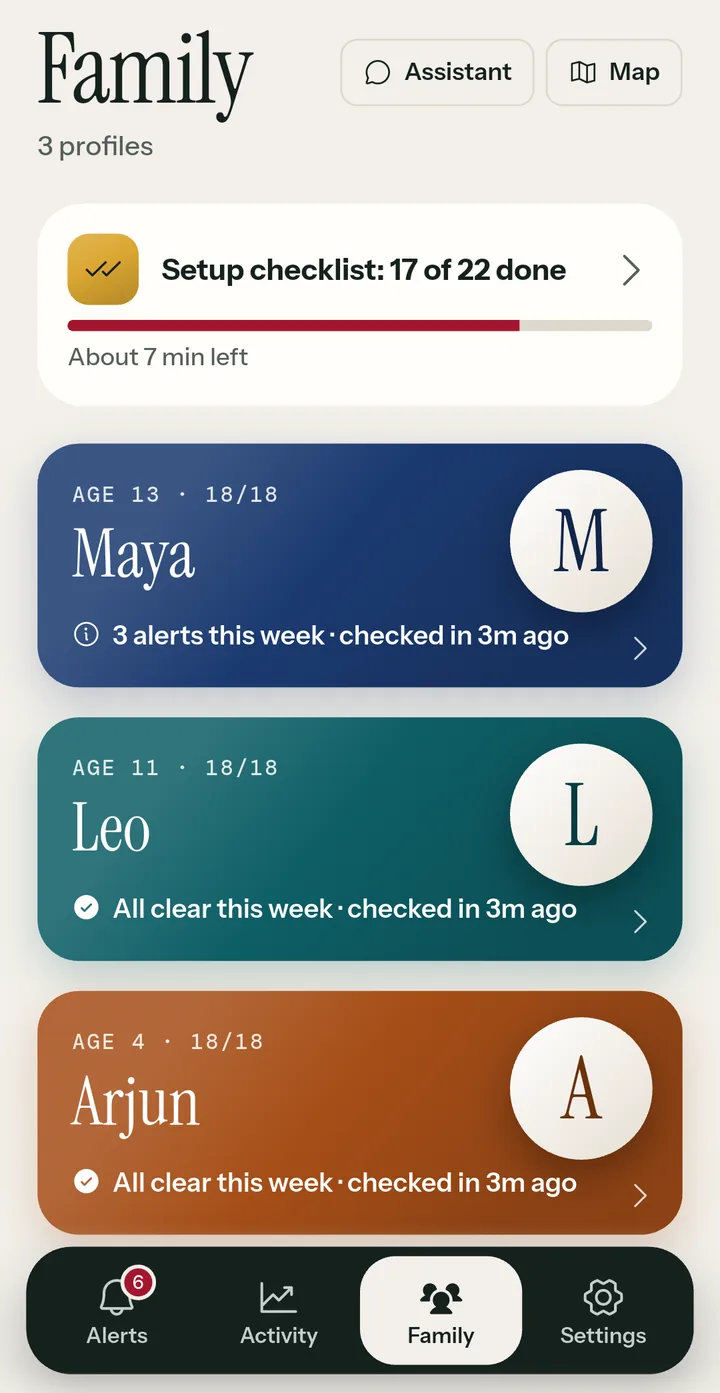
Everything in one app
One app on your phone and one on your child's. No extra hardware, and nothing to set up on your router unless you want to.
Bullying, self-harm, drugs and other risks, flagged on their phone. You only hear when something needs a look.

Bedtime and school-time schedules, daily app limits, Free time, and an internet pause button.

Block whole categories, keep SafeSearch on, and see what the filter stopped. Allowed sites are never named.
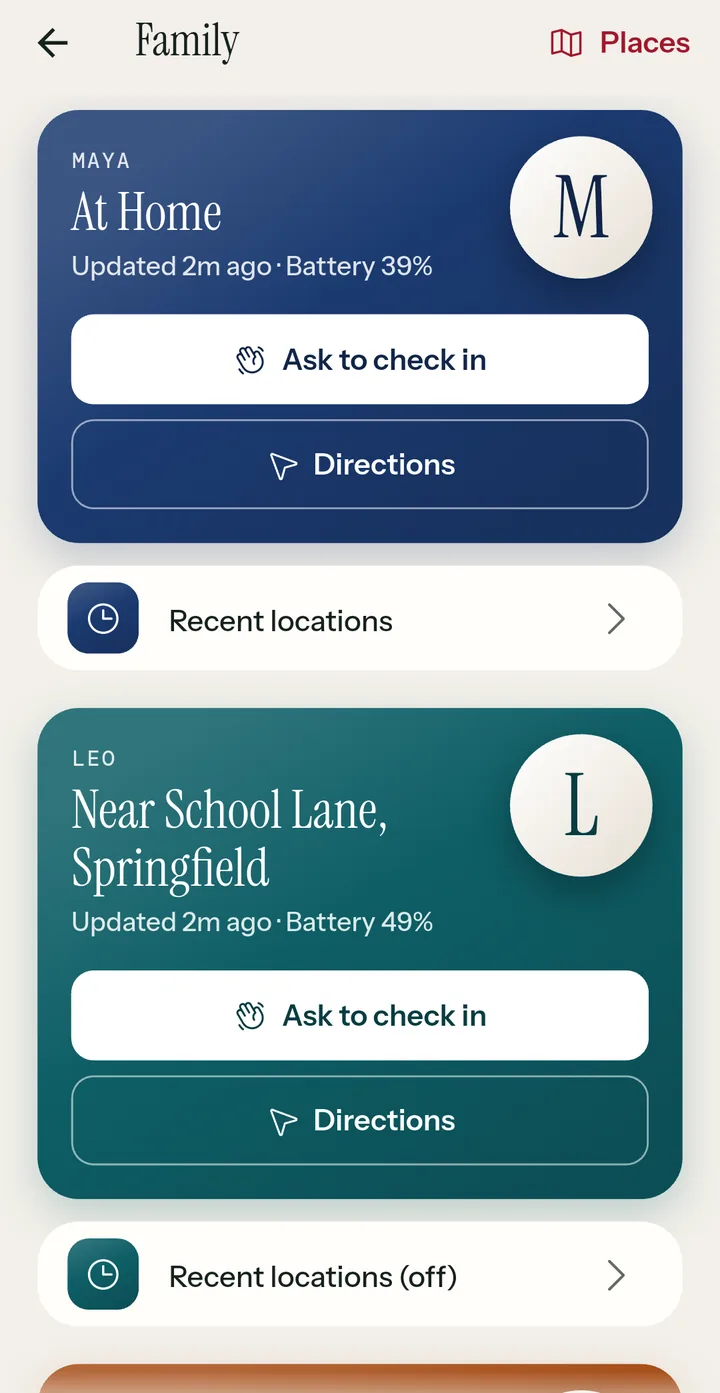
When you turn it on: where their phone is, arrivals and departures, and quick check-ins.

If they need you, one button sends you an alert, with where they are when location is on.

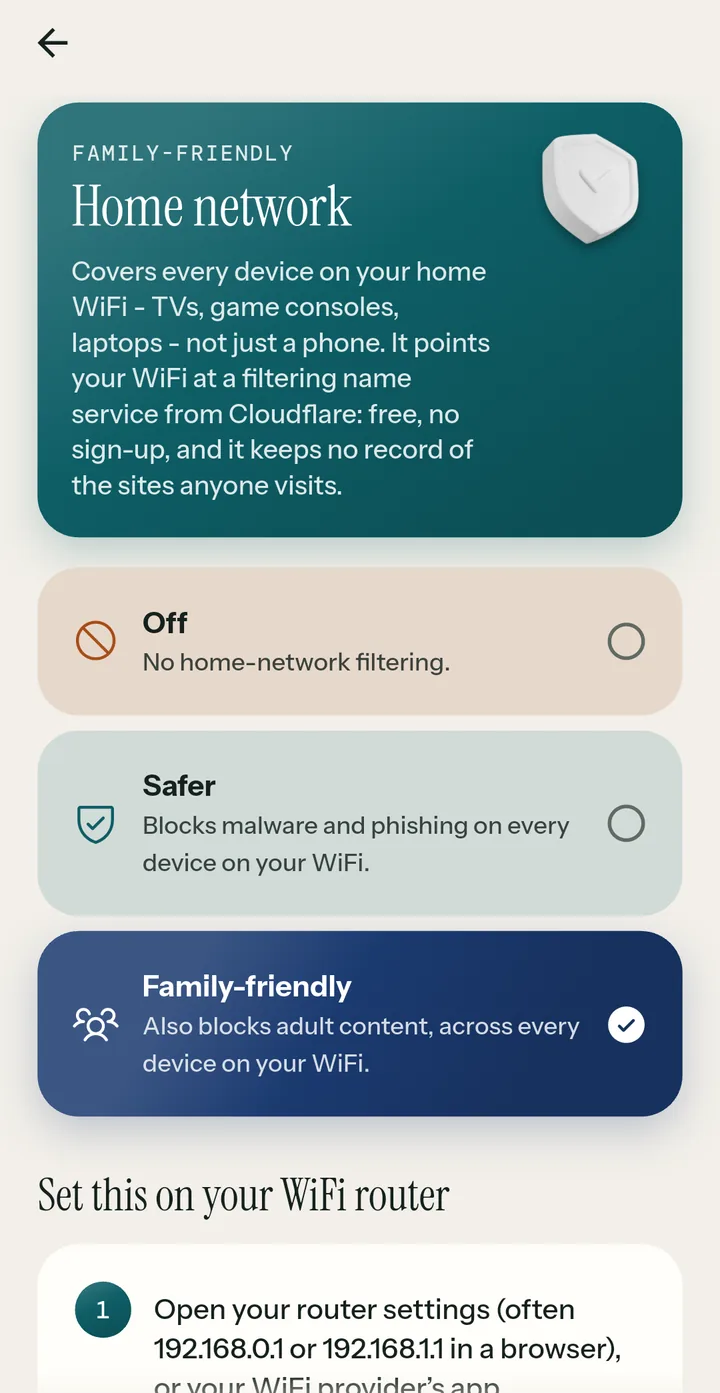
Filter TVs, consoles and laptops on your WiFi too, with a free family-safe service. No box to buy.
Uninstall protection your device code unlocks, and a heads-up if a protection is turned off.

Each child's week next to the week before, plus a weekly conversation starter to help you talk.
Alerts
Roost checks the message notifications on your child's phone, on the phone itself. Everyday messages are thrown away right there. You only see what needs your attention.
Screen time
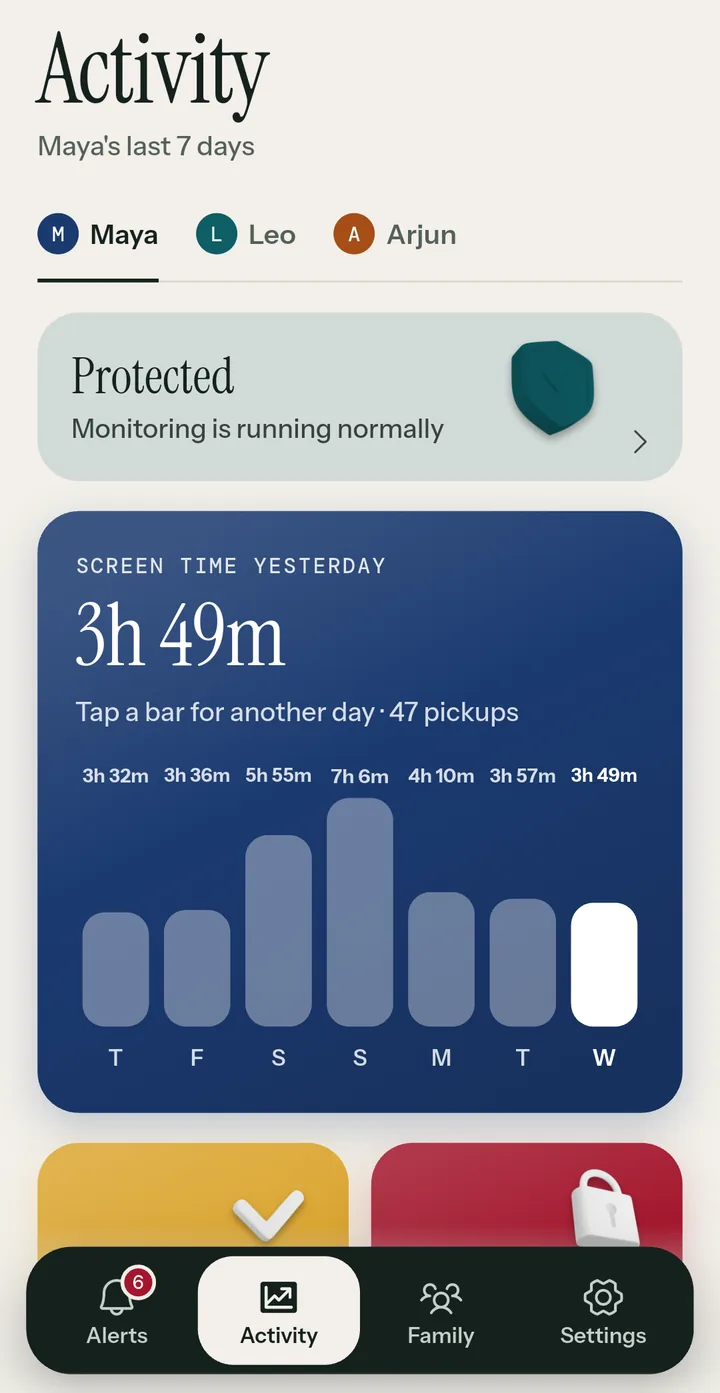
See where their time really goes, then set rules that run on their own, so you don't have to be the bad guy every night.
Location
Location stays off until you turn it on. Then you'll know when they reach school, practice or a friend's house, without calling to check.
Home network
Point your home WiFi at a free, family-safe service and Roost filters the TV, games console and laptops too. Roost walks you through it, step by step.
How it works
Create your account and add your child: just a first name and their birth month and year.
Install Roost there, choose This is my child's phone, and enter the six-character code shown on yours.
Pick the alerts, schedules and filters that fit your family, then talk them through together.
Built to be seen
Roost isn't spyware. It's for parents looking out for their own kids, with their kids' knowledge, so it never runs quietly in the background. Read exactly what's collected in our Privacy Policy.
Questions
Yes. Roost shows a permanent notice on their phone while it's on, and your child can open Roost to see everything it shares. We built it that way on purpose.
No. Roost checks the text of message notifications on your child's phone, on the phone itself. Messages that aren't flagged are thrown away right there and never sent anywhere. When something is flagged, you see a short excerpt and the reason.
Roost is on Android first, for parents and children. An iPhone app for parents is coming soon. On your child's phone, Android is needed for message alerts, screen-time reports, the web filter and uninstall protection, because Apple doesn't allow apps to do these on iPhone.
Roost is free to start: message alerts and screen-time reports are included. Watch a short ad to unlock location history, web insights and the weekly recap for a day. Roost Premium adds screen-time limits, blocked apps, place alerts and more children, with everything always on and no ads. Prices are shown in the app before you buy, and you can cancel any time in your Google Play or App Store account.
Yes, any time, from Settings in the app. Deleting your account removes everything stored for your family. See how to delete your account.
Roost is for parents and legal guardians looking out for their own children under 18. Laws on monitoring differ between countries and states, and you're responsible for using Roost lawfully. See our Terms of Service.
Install it on your phone and on your child's phone. Questions first? We're happy to help.
Get it onGoogle Play
Coming soonApp Store